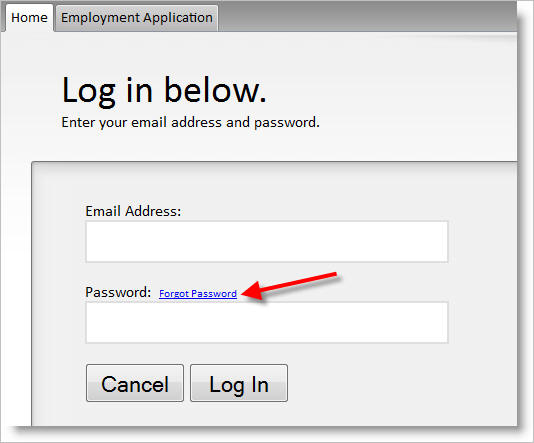
What to do when an applicant forgets their password.
Applicant passwords can be retrieved by both applicants and district users.
Here's how:
1) Applicants who wish to continue or modify their applications may click on the "Email me my password" link to retrieve their passwords. This option appears after they click "Continue/modify my application" from the main application "start links."
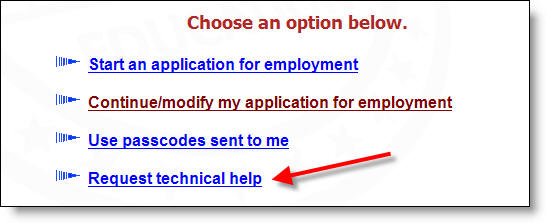
2) Applicants may also click on the "Request technical help" link if their email addresses have changed and they need them updated to receive the password via email, as well as for any other technical assistance needed.
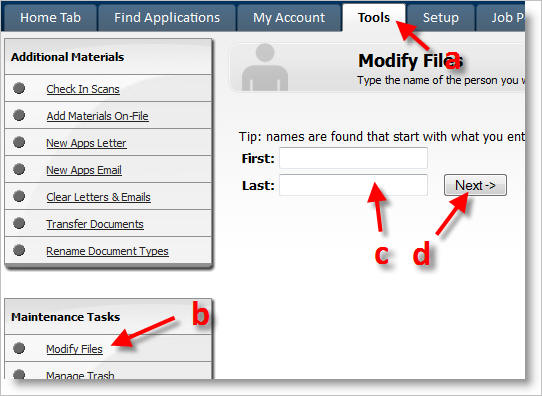
3) District users can also look up applicants' passwords by going to a) the Tools tab, then b) Modify Files. Then c) type in the name of the applicant and d) click on Next.
.
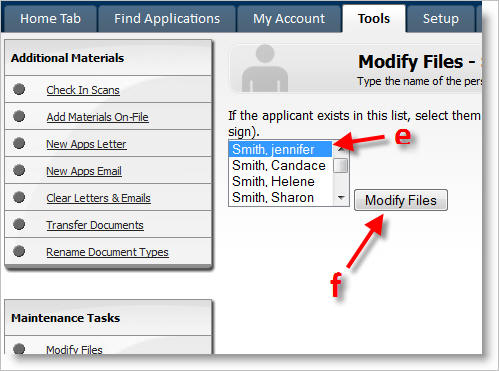
At the next screen e) verify that the correct applicant has been retrieved and f) click on Modify files.
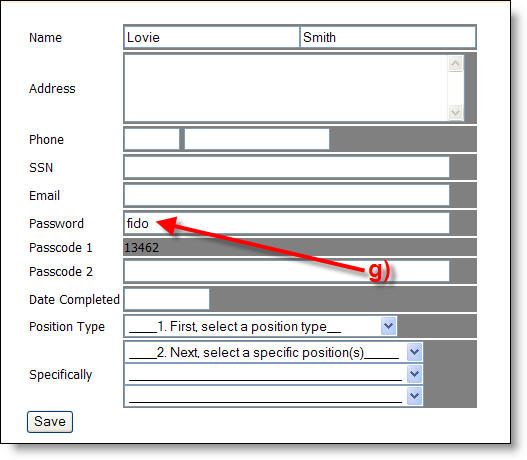
The applicants' file will open and g) the user can locate the password.
Done
Note: This is the procedure for viewing or resetting an applicant's password. If you wish to view or reset a user's password, click here.